

TL;DR:
- Project management software functions as a centralized operational hub that manages the full project lifecycle and enforces structure. Teams using these tools experience a 30% improvement in on-time delivery and are 2.5 times more likely to succeed with centralized tracking. Success depends on defining workflows, building operational structure, and providing disciplined onboarding to ensure adoption and long-term value.
Project management software is a specialized digital platform that helps individuals and teams plan, organize, track, and collaborate on projects within a single unified workspace. Tools like Monday.com, Asana, and Trello have moved far beyond simple task lists. They function as operational command centers that give every team member shared visibility into deadlines, ownership, and progress. Organizations using dedicated platforms see a 30% improvement in on-time project delivery, and projects with centralized tracking are 2.5 times more likely to succeed. This guide covers features, benefits, and how to choose the right tool for your team.
What is project management software and what does it do?
Project management software is a category of digital tools built specifically to manage the full lifecycle of a project, from initial planning through final delivery. Unlike a spreadsheet or a notes app, these platforms enforce structure by connecting tasks to owners, deadlines, and dependencies. The result is a living system that reflects the real state of your work at any moment.
Most platforms operate around a core set of capabilities:
- Task and work item management: Create, assign, and track individual tasks with due dates and priority levels
- Timeline and milestone scheduling: Visualize project phases using Gantt charts or calendar views
- Collaboration features: Centralize comments, file sharing, and notifications so conversations stay attached to the work
- Resource management: See who is overloaded and who has capacity before assigning new work
- Reporting and dashboards: Track progress, spot delays, and generate status reports without manual data gathering
Pro Tip: Set up your dashboard to show only the three to five metrics that matter most for your current project phase. Dashboards with too many visible elements reduce adoption and create confusion rather than clarity.
These features work together to replace the scattered combination of email threads, shared drives, and verbal updates that slow most teams down. When everything lives in one place, decisions get made faster and nothing falls through the cracks.

What are the benefits of project management software for teams?
The business case for project management tools is grounded in measurable outcomes, not theory. Teams that use integrated collaboration features within these platforms save up to 4 hours per week on communication alone by reducing email clutter and centralizing discussions. That is roughly 200 hours per person per year redirected toward actual work.
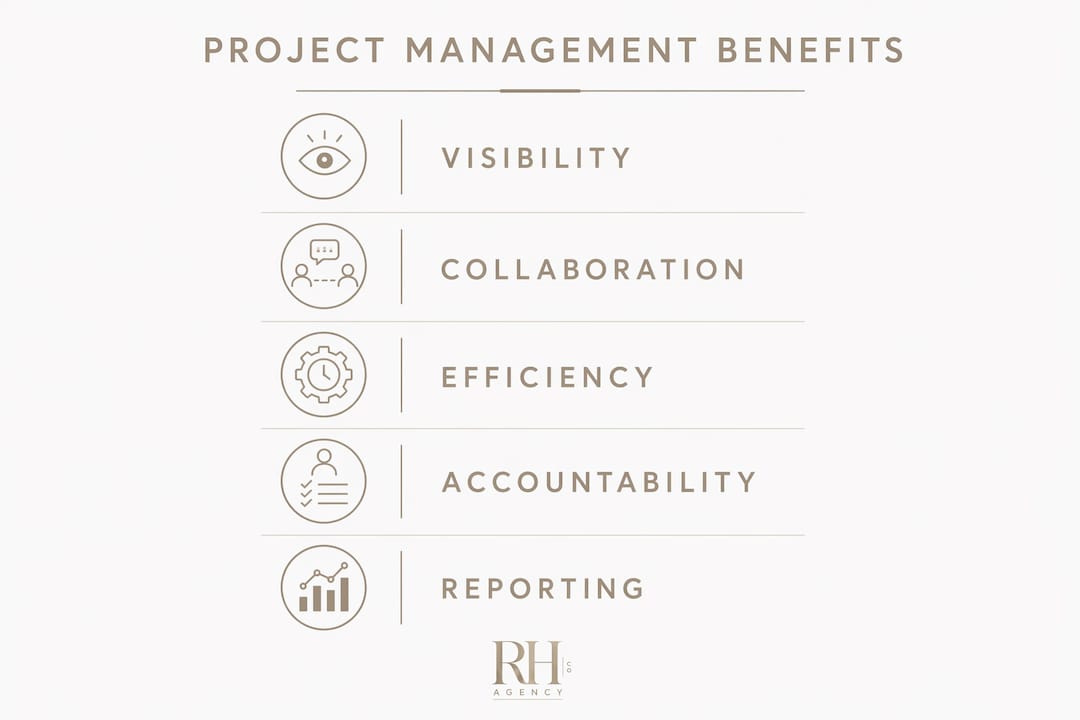
The most consistent benefits reported by teams in 2026 include:
- On-time delivery: Organizations using dedicated tools report a 30% improvement in meeting project deadlines
- Higher success rates: Projects with regular, centralized tracking are 2.5x more likely to succeed than those managed informally
- Reduced communication overhead: Fewer status meetings, fewer "where are we on this?" emails, and fewer dropped handoffs
- Better visibility: Every stakeholder sees the same data, which reduces misalignment and last-minute surprises
- Scalability: A well-configured platform grows with your team without requiring a proportional increase in coordination effort
The visibility benefit deserves particular attention. When project health is visible to everyone, problems surface earlier. A delay that would have been discovered in a Friday status meeting gets flagged on Tuesday, leaving time to course-correct. That shift from reactive to proactive management is where the real value lives.
How project management software differs from general productivity tools
Slack and Microsoft Teams are excellent communication tools. They are not project management software. The distinction matters because many teams believe they are managing projects when they are actually just messaging about them.
Project management software functions as an operational command center that enforces a delivery framework. It assigns ownership, tracks dependencies, surfaces bottlenecks, and holds a record of every decision and status change. General productivity tools focus on communication and document storage. They do not enforce structure, and they do not tell you whether a project is on track.
| Capability | Project management software | General productivity tools |
|---|---|---|
| Task ownership and deadlines | Built in and enforced | Not natively supported |
| Dependency tracking | Yes, with visual mapping | No |
| Progress reporting | Automated dashboards | Manual or absent |
| Bottleneck visibility | Surfaced automatically | Requires manual review |
| Communication | Attached to tasks | Standalone threads |
The table above makes the gap clear. A tool like Slack tells you what people are saying. A tool like Asana or Monday.com tells you what is getting done, by whom, and whether it will be finished on time. For any team managing more than two or three concurrent projects, that difference determines whether work gets delivered or gets lost.
Pro Tip: Use your project management platform as the single source of truth and let communication tools like Slack feed into it. Link Slack threads to tasks so context never gets separated from the work it belongs to.
How to choose and implement project management software
Choosing the right tool starts with an honest assessment of your team's actual workflow, not the features list on a vendor's website. Consider three factors before evaluating any platform: project complexity, team size, and the specific handoffs that currently cause the most friction.
Follow this sequence when selecting and rolling out a new platform:
- Map your current workflow before touching any software. Document how work moves from request to completion, who owns each step, and where delays typically occur.
- Evaluate tools against your workflow, not against each other in the abstract. Free project management software options like Trello and ClickUp's free tier work well for small teams with straightforward projects. Larger teams with complex dependencies need platforms like Monday.com, Asana, or Smartsheet.
- Prioritize ease of use over feature count. A tool your team actually uses beats a feature-rich platform that sits empty. Technology stack guidance from an advisor can prevent costly mismatches here.
- Run a structured onboarding program. Teams with hands-on training and video tutorials see 40% higher adoption rates. Resistance to change is the leading cause of tool failure, not the tool itself.
- Use a 21-day ramp-up structure: seven days to build your project structure, seven days to input core data and active projects, and seven days of daily team check-ins to build consistent habits.
Avoid the most common implementation mistake: treating the software as a digital to-do list. Without defined workflows, clear ownership, and realistic dependencies set up before users are added, adoption drops and trust in the system collapses quickly. Build the structure first. Add people second.
Information overload is the second most common failure point. Dashboards with too many visible tasks or complex columns without filters reduce adoption significantly. Start with a simple view and add complexity only when the team asks for it.
Key takeaways
Project management software succeeds when it functions as a structured operational hub with defined ownership, clear workflows, and a disciplined onboarding process rather than a simple task list.
| Point | Details |
|---|---|
| Core definition | Project management software centralizes planning, tracking, and collaboration in one workspace. |
| Proven delivery gains | Organizations using dedicated tools report a 30% improvement in on-time project delivery. |
| Success rate advantage | Centralized tracking makes projects 2.5 times more likely to succeed than informal management. |
| Onboarding is critical | Structured training boosts adoption by up to 40%; use a 21-day ramp-up for best results. |
| Distinct from chat tools | Unlike Slack or Microsoft Teams, project management platforms enforce ownership and track dependencies. |
What I've learned from watching teams get this wrong
I have worked with dozens of small business owners and executive teams who invested in Monday.com, Asana, or a similar platform and saw almost no return. In nearly every case, the tool was not the problem. The process was.
The teams that struggle treat project management software like a fancier version of a sticky note board. They add tasks without owners, set deadlines without dependencies, and never build the habit of checking the platform daily. Within six weeks, the system is out of date and everyone has drifted back to email.
The teams that get real value do something different before launch. They define what "done" looks like for each task type, they assign a single owner to every work item, and they run a short daily or weekly check-in tied directly to the platform. That check-in is the habit that keeps the system alive.
My honest advice: do not evaluate tools based on the demo. Evaluate them based on how well they match the way your team actually works today, and how much structure they force you to build before you go live. The friction of setup is the point. It is what separates a system that delivers from one that collects dust.
For teams that want outside help getting this right, operational consulting support can compress the learning curve significantly.
— Jessica
How The Right Hand Agency Co can help you get more from your tools
If you have evaluated project management software and realized the bigger challenge is building the operational structure around it, that is exactly where The Right Hand Agency Co works. We help small business owners and executive teams configure project management systems, define workflows, and set up the ownership frameworks that make these tools actually function.

Our executive assistant services include hands-on project coordination, task management, and workflow setup so you are not left figuring out implementation alone. We also provide technology and systems consulting to match your team with the right platform and configure it for your specific operations. Whether you need a full system build or ongoing support to keep projects on track, we offer flexible engagement models that scale with your business without adding full-time overhead.
FAQ
What is project management software used for?
Project management software is used to plan, assign, track, and report on work across a team or organization. It replaces scattered email threads and spreadsheets with a single system that shows who owns what and whether projects are on schedule.
What are the best project management tools in 2026?
Monday.com, Asana, Trello, ClickUp, and Smartsheet are among the most widely used platforms in 2026. The best choice depends on team size, project complexity, and how much structure your workflow requires.
Is there free project management software worth using?
Trello and ClickUp both offer free tiers that work well for individuals and small teams managing straightforward projects. As team size and project complexity grow, paid plans with advanced reporting and dependency tracking become necessary.
How long does it take to implement project management software?
A structured 21-day ramp-up covering planning, data input, and habit formation is the most effective implementation timeline. Teams that skip structured onboarding see significantly lower adoption and faster abandonment of the tool.
How is project management software different from tools like Slack?
Slack and similar tools handle communication. Project management software enforces structure by tracking task ownership, deadlines, and dependencies. The two categories serve different functions and work best when used together rather than as substitutes for each other.